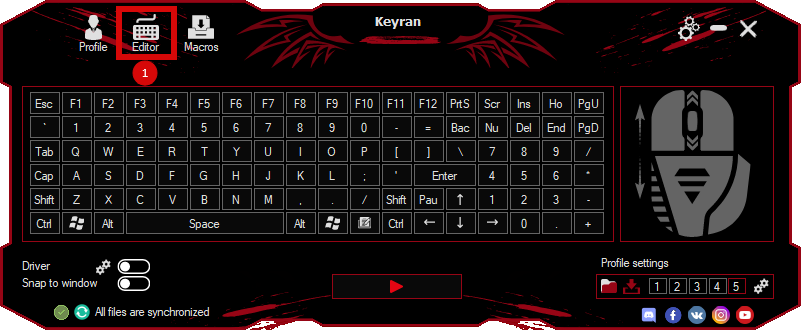
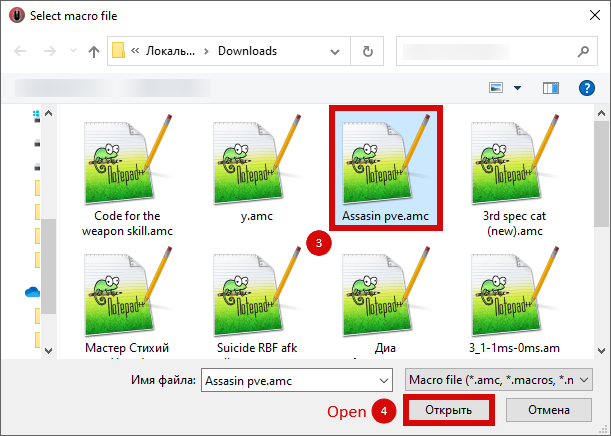
The macro "Buy 1 piece" for "Albion Online" can be downloaded and used on regular mouse and keyboard.
Installing the macro is with one movement in the Keyran program and enhances your gaming experience!
First, open the market and select the products that you intend to purchase, then activate the macro. To make it work correctly, follow the settings below.:

1. **Window Settings**:
1.1. Make sure that the macro can function independently of the currently active window.
   1.2. It is not necessary to use a special driver if it is not required by your tasks.
   1.3. For the macro to work perfectly, set the screen resolution to 1920 x 1080.

2. **Program parameters**:
2.1. Be sure to activate the incognito mode, as this is critical for the correct operation of the macro.
   2.2. Set a minimum delay for keyboard taps to ensure maximum execution speed.
   2.3. Configure the system so that it responds only to physical keystrokes on the keyboard and mouse to avoid false alarms.
   2.4. Block keystrokes of modifier keys to avoid conflict with game combinations.
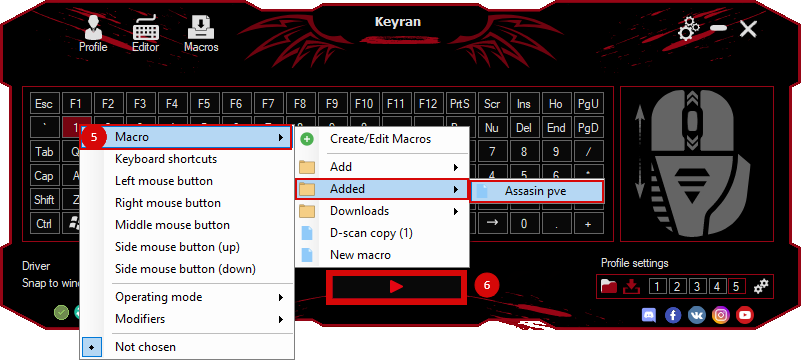
   2.5. Assign a macro to any available button, preferably avoiding repetitions with the keys used in the game.